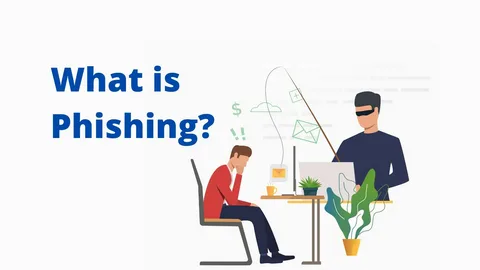
Phishing is no longer limited to poorly written scam emails. In 2025 and moving into 2026, phishing attacks have evolved into precision-targeted digital fraud operations that blend psychology, technology, and timing. Individuals, small businesses, and even technical teams are falling victim — not because they lack intelligence, but because attackers design scams to exploit routine behavior.
This guide breaks down what phishing really is, how modern phishing campaigns operate, and offers a step-by-step protection framework that works in real life — not just in theory.
What Is Phishing? (Beyond the Basic Definition)
Phishing is a social engineering attack where an attacker impersonates a trusted source to manipulate a user into revealing confidential information or performing an unsafe action.
What makes phishing dangerous is that:
- No system exploit is required
- No malware installation is necessary
- The user unknowingly completes the attack for the criminal
Phishing targets decision-making, not devices.
Why Phishing Still Works in 2025–2026
Despite better security tools, phishing remains effective due to:
- Remote work culture
- Overreliance on email and cloud services
- Notification fatigue
- AI-generated content that looks legitimate
- Poor verification habits
Even security-aware users can fail when messages appear urgent, familiar, or internal.
Types of Phishing Attacks (Modern & Real-World)
Email Phishing (Mass Targeting)
Bulk emails pretending to be:
- Banks
- Cloud providers
- Shipping companies
- Subscription services
Often includes credential-harvesting links.
Spear Phishing (Targeted Attacks)
Highly customized messages sent to:
- Employees
- Executives
- Finance teams
- Developers
These emails often reference internal tools, job titles, or recent activities.
Smishing (SMS Phishing)
Text messages exploiting:
- Delivery tracking
- Account alerts
- Payment confirmations
Short links hide malicious destinations.
Vishing (Voice Phishing)
Attackers impersonate:
- IT support
- Bank representatives
- Compliance officers
Voice deepfakes are increasingly used.
Business Email Compromise (BEC)
One of the most expensive phishing forms:
- Fake invoice requests
- Payroll redirection
- Vendor impersonation
No malware involved — only trust abuse.
How to Identify Phishing Emails (Advanced Indicators)
Basic advice isn’t enough anymore. Look deeper.
Structural Red Flags
- Sender domain slightly altered
- Mismatched reply-to addresses
- HTML buttons masking unknown URLs
Behavioral Red Flags
- Urgency without verification
- Requests outside normal workflow
- Pressure to bypass security steps
Contextual Red Flags
- Timing outside business hours
- Requests inconsistent with role
- Unexpected “account changes”
Step-by-Step Protection Framework Against Phishing
Step 1: Replace Trust With Verification
Never assume legitimacy based on branding.
Always confirm requests via:
- Official dashboards
- Known phone numbers
- Secondary communication channels
Step 2: Harden Your Email Identity
For businesses and teams:
- Implement SPF, DKIM, and DMARC
- Enforce domain alignment
- Monitor spoofing attempts
This reduces fake emails pretending to be “internal.”
Step 3: Lock Down Authentication
- Use strong, unique passwords
- Enforce multi-factor authentication
- Avoid SMS-only MFA where possible
Credential theft becomes useless without secondary access.
Step 4: Separate Access Privileges
Limit what compromised accounts can do:
- Role-based access control
- Least-privilege policies
- Segmented admin rights
This prevents lateral damage.
Step 5: Secure Remote Infrastructure
Phishing often leads to unauthorized remote access.
Teams using VPS, RDP, or cloud systems should:
- Restrict IP access
- Monitor login behavior
- Enforce encrypted connections
Providers like Nicways, which focus on secure hosting and controlled environments, help reduce exposure by supporting proper access isolation and infrastructure-level safeguards.
Step 6: Train for Recognition, Not Fear
Security training should focus on:
- Pattern recognition
- Decision checkpoints
- Real phishing examples
Fear-based training increases mistakes.
Phishing vs Malware: Why the Difference Matters
| Phishing | Malware |
| Exploits human behavior | Exploits software flaws |
| Often invisible | Detectable via scans |
| No installation needed | Requires execution |
| Harder to trace | Easier to analyze |
Most modern attacks start with phishing, then escalate to malware.
What To Do Immediately After a Phishing Incident
Time matters.
- Change credentials instantly
- Invalidate active sessions
- Enable or reset MFA
- Review account activity logs
- Alert affected contacts
- Report the phishing attempt
Delay multiplies damage.
Phishing Trends Shaping 2026
Recent research and incident reports show:
- AI-written emails matching personal tone
- Fake internal tools cloned pixel-perfectly
- Voice cloning in executive fraud
- Targeted phishing against developers and DevOps teams
The attack surface is shifting from consumers to trusted operators.
Protecting Individuals vs Small Businesses vs Teams
Individuals
- Password managers
- MFA everywhere
- Manual URL verification
Small Businesses
- Email authentication
- Access segmentation
- Secure hosting environments
Teams & Remote Workers
- Zero-trust principles
- Endpoint monitoring
- Identity-first security design
Final Insight: Phishing Is a Behavior Problem, Not a Tech Problem
Technology helps, but phishing survives because humans are busy, rushed, and trusting by design.
The strongest defense is slowing down decisions, verifying context, and designing systems that expect mistakes — not punish them.
If you treat every unexpected request as untrusted by default, phishing loses its power.
Also Read: iOS 26.2 Performance Analysis: CPU, GPU, and Battery Tests Across iPhone Models